Feiyutech Vlog Pocket 2 Smartphone Gimbal Stabilizer for iPhone and Android - Bluetooth Mode Management
Product Description
About Feiyu pocket 2:
The best way to use:
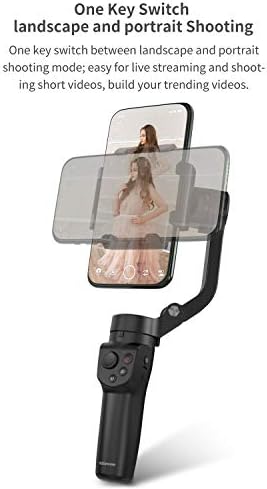
Before you begin using the gimbal, ensure it is fully charged. Start by mounting the tripod beneath the gimbal, releasing the folding knob, extending the vertical arm, and securing the knob to unlock the three-axis card position. The stabilizer clamp's logo side should face up, and the smartphone clamp should be pulled apart to insert the phone in the center. Adjust the phone to achieve balance on the gimbal. Press and hold the power button to activate the gimbal. To switch to the upside-down mode, double-click the trigger and adjust the handle accordingly. For vertical mode, double-click the function key or manually rotate the phone clamp. The gimbal is now ready for use with your iPhone or any other smartphone for seamless vlogging.
Operate mode introduction:
To control your gimbal effectively, you can switch between different modes. The default mode is the heading and pitching observe mode. By pressing the perform key, you can activate the course following mode. To lock the gimbal's position, press and hold the trigger button to enter lock mode, and release it to go back to the previous mode. For quick tracking, click and hold the trigger button, or double-click it to reset. If you need to lock the gimbal in its current position, simply pull the lean axis within ±40°. In case the stabilizer is not level or malfunctions, try initializing it by pressing the function key five times. Keep the gimbal still on a flat surface. A successful initialization is indicated by the blue light flashing three times. To wake up the gimbal, press the function button. Mastering these modes will enhance your control over your gimbal, making it ideal for vlogging or controlling your iPhone for creative shots.
The best way to join Bluetooth:
To connect your phone to the Feiyu ON app and start capturing footage, follow these methods: Method 1: Turn on the gimbal by long-pressing the power button, activate your phone's Bluetooth, launch the Feiyu ON app, and wait for automatic pairing. Adjust your phone with the stabilizer to begin shooting. Method 2: Access your phone's camera, enable Bluetooth, locate the gimbal's name (e.g., FY-pocketV2-24), and pair it. Once connected, use your phone's camera for photos and videos. These steps will give you control over your shots, perfect for vlogging with an iPhone.
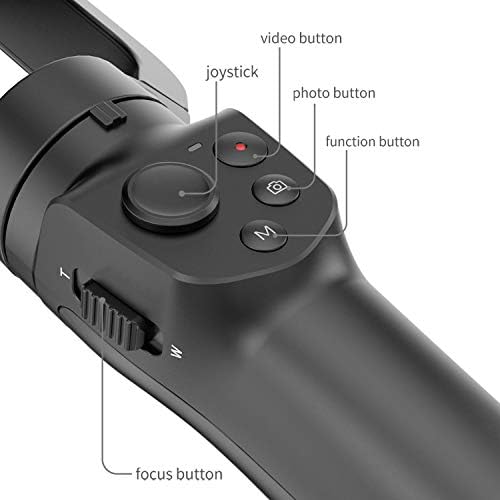
Suggestions:#If the gimbal has been related to the Bluetooth of different telephones, that you must flip off the Bluetooth of that telephone, after which connect with your telephone’s Bluetooth.If it feels troublesome, you should use the important thing mixture to clear the earlier Bluetooth connection.Methodology: Transfer the joystick down + double-click the ability button to clear the Bluetooth connection.
For extra button operations, please see the product handbook
Suitable telephone:
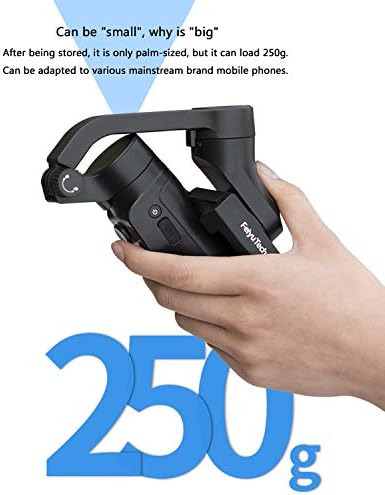
Width vary for smartphone is from 41 mm to 89 mm. The utmost payload is as much as 250g. When utilized in panorama mode, it’s appropriate with all smartphones beneath 7 inches, embody all iPhone sequence, all Android sequence, and smartphones of different programs, corresponding to HUAWEI P30 professional, MI 9, VIVO NEX, OPPO discover X, Samsung Note9, and many others. When utilized in portrait mode or inception mode, it’s appropriate with all smartphones beneath 6.6 inches, embody all iPhone sequence, all Android sequence, and smartphones of different programs.
Detailed appropriate checklist as beneath:
1.iPhone: iPhone SE2, iPhone XR: iPhone XS,iPhone XS Max,iPhone 11,iPhone 11 Professional Max 2.Android telephone: HUAWEI P30, HUAWEI P20 Professional, vivo X30, vivo X30 Professional, OPPO Discover, One plus 3T, MI 10, Samsung Note8, and many others. 3.Giant-screen smartphones, for instance, Honor NOTE10 may be usually used on panorama mode. However when customers change the gimbal to portrait mode, the telephone could hit the vertical arm, which wants customers to regulate the telephone to the left barely. Word: Vlog pocket2 shouldn’t be appropriate with motion cameras immediately. If customers wish to mount motion cameras, we advise mounting a third-party mounting plate first to place it on.(mounting plate not includ)
SPECS
Gimbal Options
CHANGE
In contrast with vlog pocket, vlog pocket2 has added joystick and button management. In response to the palm measurement, the deal with has been redesigned to extend the consolation. Furthermore, the anti-shake and management sensitivity have been drastically improved. In contrast with the earlier issues of vlog pocket, vlog pocket 2 is an upgraded model, and these issues have been solved very effectively.
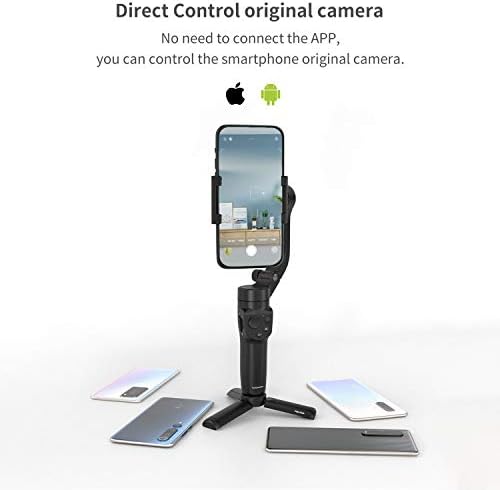
Management Unique Digicam
You’ll be able to take footage and movies with out connecting to the gimbal app.
Join the telephone’s built-in digicam, open the telephone’s settings, activate the telephone’s Bluetooth to search out the identify of the gimbal, corresponding to: FY-pocketV2-24, click on on the Bluetooth identify to pair, after the pairing is profitable, enter the telephone’s built-in digicam, you may management taking footage and video.
Function with one hand
FeiyuTech began from the shopper expertise and designed this vlog pocket2 with a purpose to make it simpler and extra snug for purchasers to create vlog. You do not want to the touch the display screen, use shortcut keys to name up the app menu, and you may full most operations with one hand.
Sensible Observe 2.0
Object Monitoring Mode
Assist {photograph} fast-moving objects
Lengthy Battery Life Meet All Your Wants
Time-lapse Pictures
Weight
272g
270g
428g
336g
665g
Payload
250g
240g
232g
130g
1.2kg
Battery life
9h
8h
12h
12h
9h
display screen
no
no
no
OLED
OLED
Rotatable Vary
Tilt: 165° / Roll: 323° / Pan: 300°
Tilt: 165° / Roll: 240° / Pan: 330°
Tilt: 320° / Roll: 320° / Pan: 320°
Tilt: 360° / Roll: 320° / Pan: 360°
Tilt: 280° / Roll: 330° / Pan: 360°
Suported
smartphone
smartphone
smartphone
motion digicam
Motion Cameras/Smartphones/Mirrorless Cameras/Pocket Cameras
Management mode
Bluetooth Can management the unique digicam
Bluetooth,Join the shutter cable to regulate the unique digicam
Bluetooth
WIFI
WiFi
Splash-proof Grade
no
no
no
sure
sure
【Broadly relevant】 Feiyutech Vlog pocket2 weighs solely 272g, the width of the cell phone ranges from 41mm to 89mm, and the utmost load-bearing capability is 250g. When utilized in panorama mode, it’s appropriate for all iPhone sequence/Huawei P30 professional, Xiaomi 9, Vivo NEX, OPPO discover X, Samsung Note9 and different Android good telephones beneath 7 inches or different good telephones. When utilized in portrait mode, it’s appropriate for all iPhone sequence and Android sequence telephones beneath 6.6 inches or different good telephones.
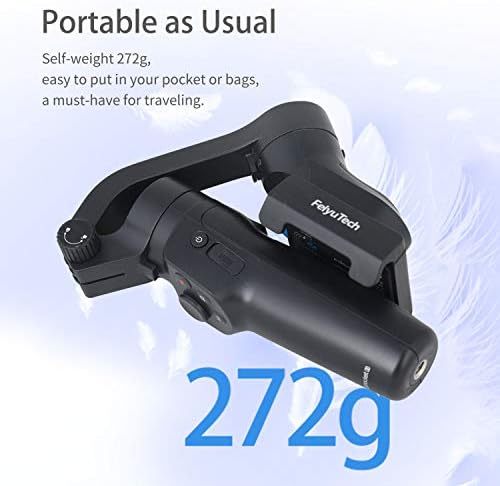
【Foldable & Lengthy Battery Life】The brand new Feiyutech Vlog pocket2 continues to undertake a foldable design. After being folded, it’s only the dimensions of a palm, solely 272g, which may be simply put right into a pocket or a backpack. The utmost battery life is as much as 9 hours, and the quickest is 1.5 hours to totally cost. It may possibly meet the wants of every day capturing or work, and is a must have merchandise for touring.
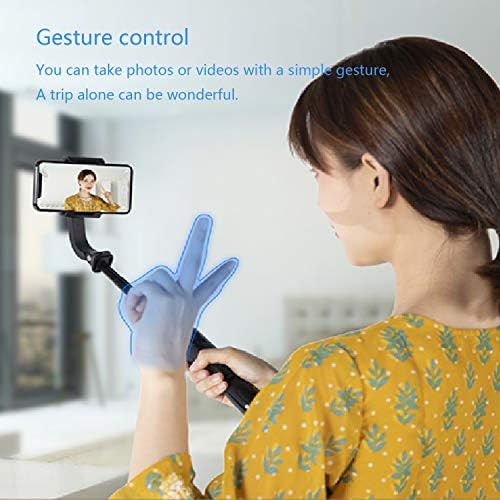
【Management Native Cameras & gesture management take footage】You’ll be able to take footage instantly with out opening the APP. The most recent Vlog pocket2 can immediately management the native digicam and a few mainstream apps, so there is no such thing as a have to open the gimbal app to shoot. Add the gesture management capturing perform, you may simply take a selfie or take a bunch photograph.
【Slanted arm design & APP play】 The inclined arm design won’t block the wide-angle of the cell phone, and the field of regard will likely be extra free. The brand new APP interface design, automated connection, trajectory delay, overlapping pictures, gentle observe capturing and extra capabilities are all within the APP. There are extra object monitoring mode and rotation mode ready so that you can uncover.
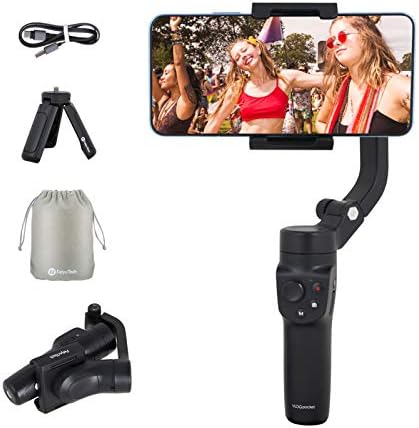
【Overload safety & packaging equipment】 Vlog pocket2 comes with hints corresponding to overload, overheat safety and unlocking, offering a extra user-friendly expertise. Customary mini tripod and storage bag, and usb charging cable.
More in Camera & Photo

Girls' Champion Canvas Sneaker by Keds
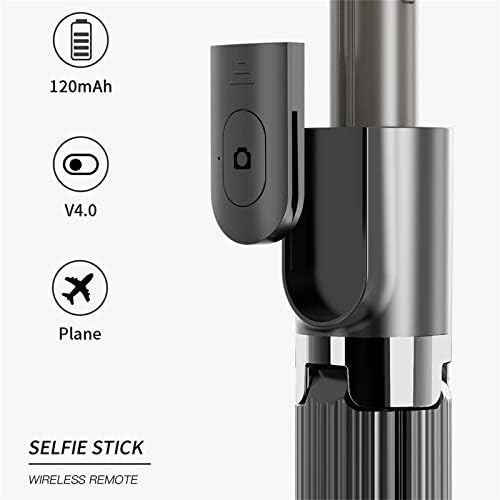
Wi-fi Bluetooth Gimbal Selfie Stick, Foldable Anti-Shake Cellphone Handheld Selfie Stick Tripod, Appropriate for Smartphones Equivalent to iPhone, Samsung, Huawei

PULUZ Picture Studio Mild Field 11.8in/30cm Transportable Folding Picture Studio Taking pictures Tent 112 LED Beads(RA﹥96) 10 Stage Dimmable Modes with 6 Colours Backdrops(3 PVC Materials) for Disaplay Images
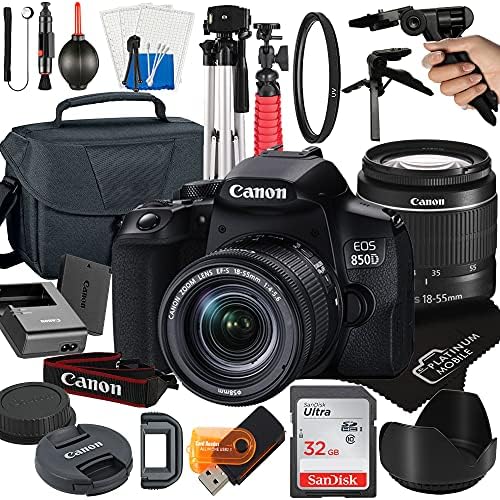
Canon EOS 850D / Insurgent T8i DSLR Digital camera with 18-55mm Zoom Lens + Platinum Cellular Accent Bundle Bundle Contains: SanDisk 32GB Card, Tripod, Case, Pistol Grip and Extra (21pc Bundle)
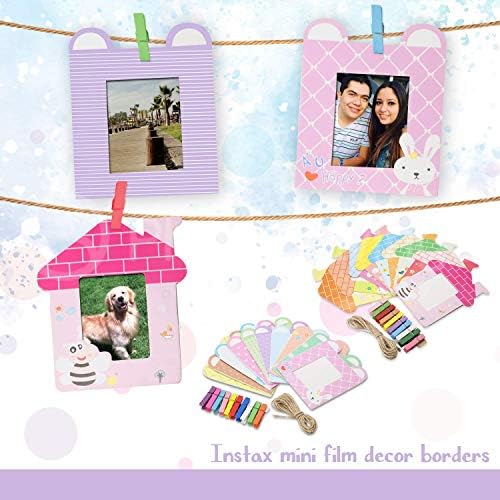
FUJIFILM INSTAX Mini Immediate Movie (X2) (40 Exposures) + FUJIFILM INSTAX Ice Blue 168 Piece Accent Bundle W/Digicam Case, Selfie Lens, Photograph Album, Ornamental Stickers, Frames & Extra